Unihertz Titan 2 - A Non-Blackberry User's Perspective
Check out the YouTube video - see the link at the end of this post
A little part of the internet has been buzzing lately about the Clicks Communicator, an upcoming phone from the makers of the keyboard case available for the Motorola Razr, and certain iPhone and Pixel models. The keyboard looks most at home on the folded Razr. Having the keyboard allows for more comfortable usage while folded as the entire screen is available and one can get more done on the phone without having to open it up. On the iPhone and Pixel, it looks a bit more cumbersome as it adds length to phones that are already sufficiently long. Nevertheless, the company has had some success with the line and is using their learnings and internal expertise (some employees are said to have come from Blackberry) to create a phone with its own built-in keyboard.
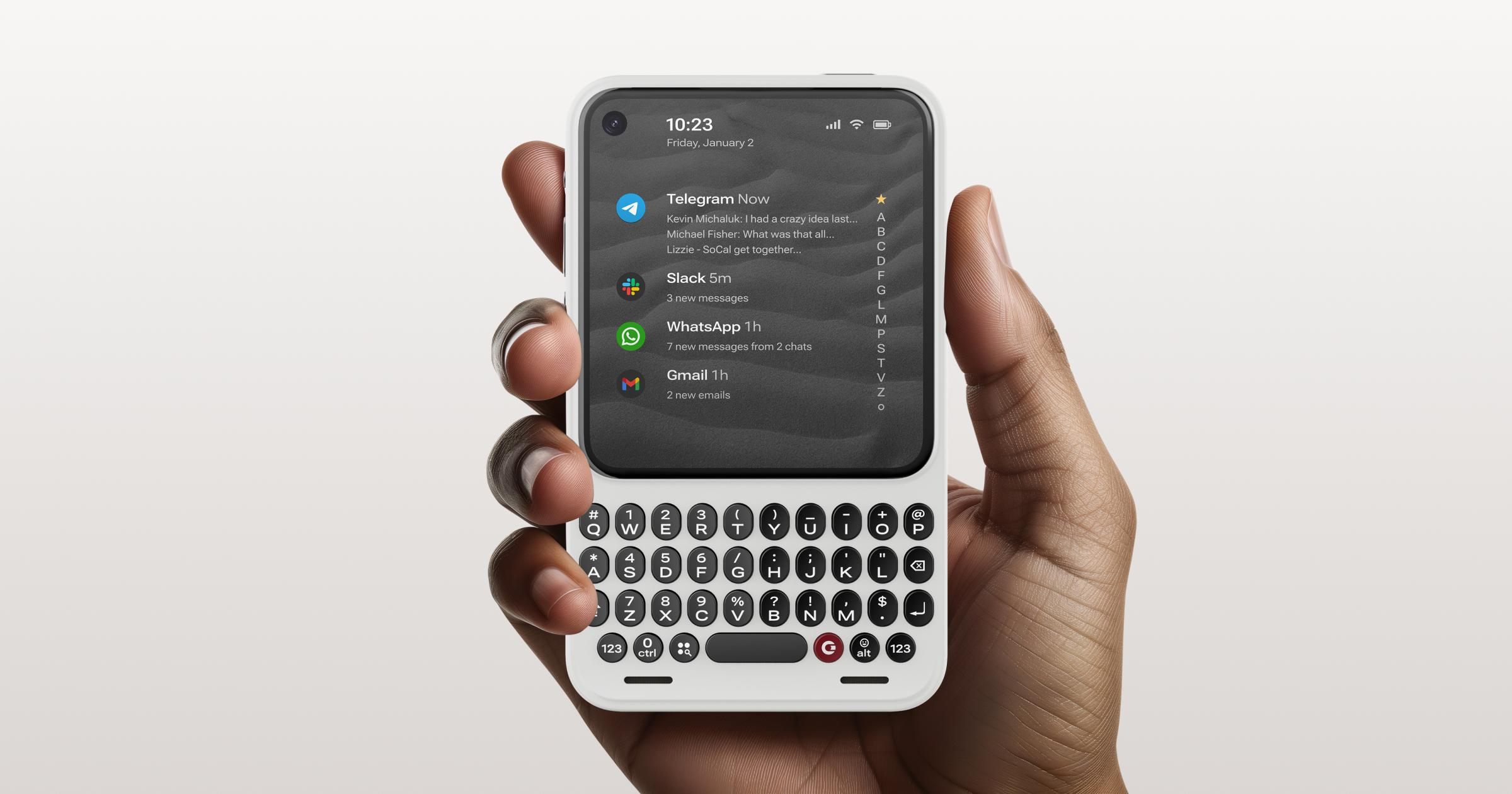
The Clicks Communicator is a phone on its own, with its own keyboard and will run on Android 16. It will have a headphone jack, SD card slot, and a signal light to alert you to waiting notifications. It will even have interchangeable rear plates to customize the look. And perhaps most importantly, Clicks is promising to support the phone for 5 years for security updates and promises Android version updates to Android 20.

But Unihertz has been making keyboard phones for a while, and their current release is the Titan 2. The Titan 2 is a wide-format keyboard phone that invokes memories of the Blackberry Passport. It's available right now for around $400 on Unihertz's website and on Amazon.com. Support promises aren't as robust, but they are promising to bring Android 16 to the Titan 2 this month. They're also planning to release an update later this year with the Titan 2 Elite, which looks to be a direct competitor for the Clicks Communicator. Nevertheless, neither of those phones are here yet, but the Titan 2 exists right now and there are quite a few reviews of the phone on YouTube. I watched most of them in fascination, but I found that most of those reviewers are former Blackberry users who have certain hopes and expectations of a keyboard phone.
I never owned a Blackberry so I don't have any pre-conceived notions of what a modern version should be. I had a number of keyboard phones, but most of them also used a stylus because the stylus has been my thing for many years. I had phones like the Palm OS and Windows Mobile Treo, the Nokia N900, the original Windows Mobile Sony Xperia, and the many variations of HTC Windows phones with sliding keyboards. I wondered what a person with no Blackberry hangups might think about a modern keyboard phone like the Titan 2, so I bought one to see for myself.
Hardware - Front Screen
It has been widely reported that the Titan 2 screens come from left over stock of the 2014 Blackberry Passport screens. From a resolution perspective, the 1440 x 1440 4.5" IPS LCD screen is sharp at 453 DPI and is easy to read. It gets bright enough to see in daylight; I generally kept it at about 50% brightness most of the time. As it is a square screen, it may require a bit of an adjustment to those used to years of rectangular screens. Some apps don't play nicely with the square aspect ratio, but in day to day use I had few issues. Most of the time, you can simply scroll to see the rest of the screen that would normally be visible without scrolling. Sometimes apps would get hung up and not let me scroll, but usually trying again or reloading would resolve the issue. The Best Buy app caused me a little bit of grief at the onset, but I'm not completely sure it is the screen that was causing its issues. I could always get into the app, usually after clicking on an option to create a new account that would then simply launch me into the main app, properly logged into my account. At first, I had similar issues with the Amazon shopping app not wanting to log me in and then not showing me the navigation buttons. I resorted to accessing Amazon via the browser for a while, but the app has been solid ever since I did that. Some apps, especially video-centric apps, are not ideal for the square screen but are still nevertheless usable. I made a point of installing apps that focus more on text than on images and video not just because of the screen but also to try to take better advantage of the keyboard. I think this strategy has served me well.
Hardware - Rear Screen
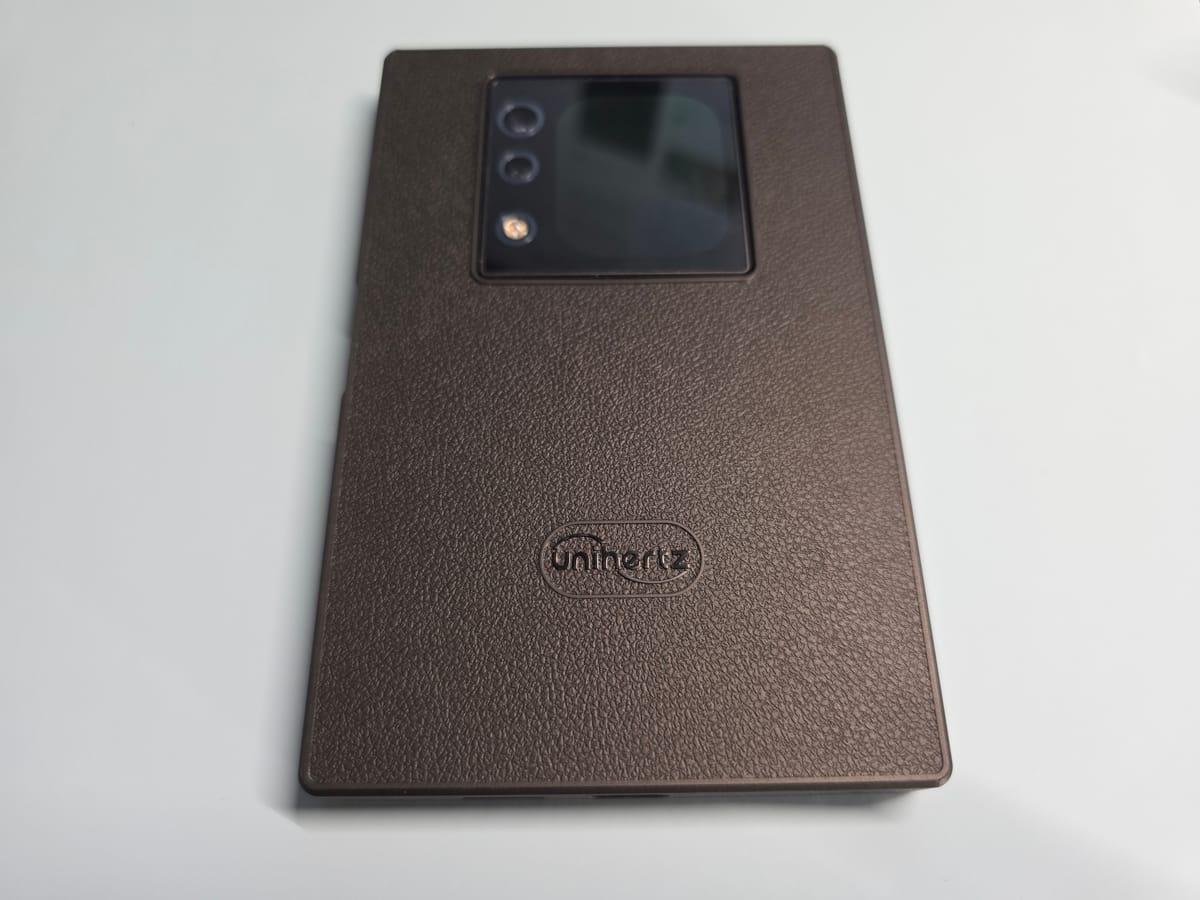
It took me some time to get everything set up so that the rear screen would function as I desired. Many things are buried layers down in settings, but now I have it set up so that it shows me my notifications and I have a screen of apps that I can access from it as well. The screen is pretty small, so trying to use Android apps on it is not the best experience, but it can be done. Before I bought the device, it seemed to me that one of the benefits of the rear screen is the ability to show notifications since the front screen isn't OLED and doesn't have an always-on setting. The rear screen is OLED, but it's not really optimized to be on all the time. You can select a clock face that will show you various pieces of information such as time, date, steps (counting steps on a phone seems strange to me, btw), and battery status. You can set it to show notifications when they come in, and this is where I landed. I decided the battery hit of having the screen on all the time wasn't really worth it to me although that had been its original appeal. The front screen can also light up when notifications come in, so if this is the most important thing to you, you don't necessarily need the rear screen for this purpose. And if you're the kind of person who turns their phone over to not be bombarded by notifications, you won't find the rear screen of much use at all beyond potentially serving as camera viewfinder or music player widget.
Hardware - Buttons
I have a love/hate relationship with fingerprint scanners. I prefer them over face scanners, even the very secure kind. It's just easier to manage physical access with fingerprint than with face ID because of the ease of someone snagging your phone and thrusting it in your face before you're even able to process what is happening to you. Grabbing your phone and your hand would prompt more of a fight response in most of us. I do appreciate the convenience of face ID whenever fingerprint scanners fail, and in winter especially, they fail quite often for me. Yet the fingerprint scanner on this phone has been solid despite my dry skin. It has worked every time for me and that's impressive to me for a midrange phone since I can't say the same for the fancy in-screen fingerprint reader on my Samsung Galaxy S25 Ultra, which fails me more often than not.
The other buttons also work as expected. Even with the included case, the buttons are easy to identify and press. I mapped the bottom left button to be the CTRL key so I could make use of the cut/copy/paste functions more easily. The top button is set by default to turn on the rear screen and I left it that way, but most often I simply double-tap the rear screen to turn it on, so I reserve the right to re-map that key should I ever find a different function I'd want to map to it.
I love having buttons to do things and these buttons are quite usable.
Hardware - Keyboard
I do not enjoy typing on glass but like most, I've gotten more or less used to it over the years. I type fairly slow and deliberately, aiming to get the strokes right the first time as opposed to relying on autocorrect. It's not that I don't trust autocorrect; most of the time the suggestions and corrections are spot-on. I just prefer to type so that I don't need to be corrected. This slows me down but if I type accurately, I feel better about myself, so I consider it a wash overall. I'm almost never typing on my phone with the goal of doing something quickly. If I'm typing on my phone at all, it usually means I am not close to my laptop or desktop setup where a real keyboard will be easily accessible. Even at my desk I have my keyboard paired to my phone so that I can quickly switch over to my phone if I want to respond to a text message. Because my primary phone is a Samsung, I can use Link to Windows to send messages, but I prefer using RCS so I will usually send from the phone or via Messages if it's paired to the computer I'm on. I find that Messages is notoriously bad about staying paired to my phone, but this is probably because I've tried to pair one to many devices and Google has very strict limits about the number of devices that can be paired. (I have often wondered if they find that to be as frustrating internally as I find it to be as a semi-normal person who happens to have more than one Android device and more than one Windows PC. I realize I'm not normal from a mainstream perspective, but I know I'm also not a rare unicorn, either.) Anyway, I don't enjoy typing on phones and tablets. And as a person who is about as devoted to stylus-enabled devices as they come, in many cases I'd rather write on a screen than type on it. To be honest, both experiences are frustrating in different ways. Windows and Samsung tablets are pretty good at recognizing my handwriting but some things don't lend themselves well to writing, such as passwords and URLs. I greatly prefer using a stylus for taking notes on a phone or tablet but eventually the keyboard is going to be needed.
I hadn't used a phone with a keyboard since the WebOS powered Palm Pre. That keyboard was tiny, but I loved that phone because WebOS was beautiful to look at and reasonably easy to use. I liked how you could use the keyboard in the home screen of the OS to just start typing and get to what you needed. The keyboard was an integral part of the experience. Because I never had a Blackberry, I don't have a point of reference for what the experience was like in comparison but based on the many videos I've seen over the years from Blackberry lovers, the keyboard was also really a key part of what made those devices so successful at the time. So basic things like using the keyboard as a touchpad and assigning actions to letter keys are perhaps table stakes for anyone who loved a Blackberry, but they are really nice quality of life upgrades in my book. It's really nice to have the entire screen available without being blocked by your hand or stylus as you scroll. It's nice to be able to launch important apps and functions with a simple key press (the trick is remembering what you mapped the keys to, though). And because the Titan 2 is a nice wide phone, the keys are large and easy for me to press. I don't find them to be too stiff although I have seen others complain about this. After a few days of use, I'm able to type fairly accurately on it and don't have to rely too heavily on autocorrect or suggestions. I do appreciate the on-screen row of commonly used symbols such as the comma and period. It's usually easier to pick them from the screen than to type them with the alt button.
I wouldn't say I'm particularly fast in typing on the Titan 2, but I am pretty accurate and that's without relying heavily on suggestions. I took the test on typingtest.com on my S25 Ultra and the Titan 2. I achieved 28 WPM on the S25 Ultra with 13 typos which brought me down to 15 WPM. I scored 27 WPM on the Titan 2 with 2 typos which brought me down to 25 WPM. So even after just a week of use, I'm already faster on the Titan 2 than I am on the Samsung.
Hardware - Camera
The Titan 2 isn't a phone that you buy for its cameras, but you know that going into this, right? It can take photos that are fairly well detailed with its 50MP sensor. But to get results that are true to life, you may find that you'll want to tweak them in some editing software or with Google Photos. Colors look a little washed out and the photos are often overly bright. For casual shots to share on social media, the quality isn't hideous. If you didn't look at it side-by-side with another phone camera, you might not even think much of it. The representation of colors and white balance can be noticeably different than what I get out of my Samsung S25 Ultra or Pixel 9 Pro. The variations could be addressed with a basic photo editor if you're the kind of person that doesn't mind some post-production. Using a different camera app would probably also yield better results as the lens itself isn't terrible. You can get decent detail out of it and with solid lighting, it can produce very usable photos and videos. I'd say the main camera is the one to use as the 8MP telephoto is a bit grainy and has a noticeable color shift from the main camera and the selfie camera really wants to brighten up images, usually to their detriment. (See the YouTube video for more on the main camera)
Hardware - Other
I paired the Titan 2 to one of the many pairs of Bluetooth headsets I have in my collection, and it performed exactly as I expected. Bluetooth range and connectivity were comparable with what I experienced with other devices and the impact to battery life was also similar.
I used the phone with a data-only SIM from Google Fi, which on my plan allows me multiple data SIMs to share with my primary phone line. I ordered my phone from Amazon, and I believe that version is the global version and not the US-centric version. The listing indicates compatibility with T-Mobile, Verizon, and AT&T. Fi primarily uses the T-Mobile network so I wasn't concerned about coverage. Nevertheless, I noticed that I wasn't able to get 5G in my neighborhood. That meant I wasn't compelled to put my primary SIM card in the phone, but in carrying the phone around with me over the course of several days, I didn't notice any issues with signal. I connected Google Voice to the phone and text messages came in promptly, just as they do on my other devices that are connected. I used the web version of Google Messages and was able to send RCS messages to friends and family, most of whom use iPhones.
I spend most of my time at home, though, and Wi-Fi connectivity was flawless the entire time. I never had any issues with the phone losing connection or with any slowdowns in data transfer. It performs better than my Galaxy Tab S11 Ultra, which routinely loses Wi-Fi connection nearly daily (I assume I have a defective unit, but it hasn't been bad enough for me to try to do anything about it).
The phone is not equipped with wireless charging. This could be a dealbreaker for some, but it isn't an issue for me as I very rarely charge my phones wirelessly. I don't charge my devices overnight, so when I do charge them, I want them to charge as quickly as possible and that means plugging them in. The phone will charge at up to 33W. I find that the phone charges quickly enough for me even though I have other devices that charge at up to 45W.
Back in the days of Samsung Pay where it mimicked credit cards, I used NFC for payments a lot. But I rarely use Samsung Pay, Google Pay/Wallet or any other tap to pay method nowadays. Some of this is because of the friction of having lousy fingerprint readers on phones and some of it is the friction of my favored credit card continuously dismissing itself from my wallets. So I haven't even set up the Titan 2 to handle payments despite its excellent fingerprint reader.
The speaker on the phone isn't super loud, but is sufficient to listen to a podcast at your desk if you didn't have any other option. I greatly preferred to cast media to another speaker in my house rather than listen to the phone itself. The speaker is fine for calls in a quiet room.
Included Software
The phone came with some pre-installed software such as Barnes & Noble Nook, eBay, and LinkedIn. At first I was confused and wondered if the phone had copied over apps from an old backup even though I set it up clean. All of the apps I saw were apps that I'd used at some point in the past or even had installed on my primary phone. I didn't try to uninstall anything that came pre-loaded. With perhaps the exception of Nook, they were apps I could imagine perhaps using some day. But I didn't sign into any of them as I didn't want any extra notifications popping up from them.
Additional Software
Because I ordered the Titan 2 after I became aware of the planned existence of the Clicks Communicator, I was very interested in how that phone is set to use a custom implementation of the Niagara Launcher. I have never been one to experiment much with custom launchers. I fell in love with Action Launcher many years ago and it's the only launcher I have ever used on any of my Android devices beyond the built-in launcher, which I tend to keep for my Samsung and Pixel devices because of how they connect with other Samsung and Google features. I had tried Nova Launcher many years ago but found Action Launcher to be superior for my lifestyle. But on a phone with a keyboard, I could see how something like Niagara could be useful, so I installed it on the Titan 2 before I even really had a chance to use the built-in launcher. I used Niagara for a day or two before I grew restless and decided to go on a search for something better for me. I liked the core philosophy of Niagara, but I wanted more on my home screen. I eventually found most of what I wanted in AIO Launcher. The various plug-ins, such as calendar, weather, notifications, news feed, and frequent apps were more of what I wanted to see on my home screen. I like that more of the apps I use often are just a tap away and I can always see time, weather, and a few calendar items at the top of my screen so I always feel centered and grounded with what is most important for the day. It feels more like a little daily organizer screen and I like that as a contrast to how I've set up my S25 Ultra's home screen, which is focused on apps and large widgets that take up a lot of space but don't provide nearly as much information. I like that you can re-arrange where the sections go and that there is a small but fairly useful list of widgets and plug-ins available. There is a store but the store is very limited right now. I'm not sure how much it might grow over time but the launcher does have over 1 million downloads, so there's some hope that another widget or two might get added eventually. Nevertheless, the current selection is serving me pretty well right now. AIO also supports standard Android widgets, and you can even bring in standard icons or use icon packs if you really want to jazz up the look. For now, I prefer the look of the little bubbles for apps I use most frequently. I like the launcher enough that I decided to pay for the full version within the first 24 hours. For a recurring subscription fee you can add extra features like customizing the stocks that appear in your financial widget, but I'm not currently interested in most of the additional features that require a subscription. I'm really happy with the look and feel of this launcher; it feels like it means business and a phone with a keyboard specifically screams business, so they align nicely.
I watched a few videos of people showing off their Titan 2 phones before I bought mine and one of things that intrigued me was the ability to swap out the on-screen keyboard for others. I don't immediately think of the on-screen keyboard as being critical for a phone with a built-in physical keyboard, but for accessing basic punctuation and seeing autocorrect suggestions, picking the one that works best for you is important. Many people swear by different keyboard such as Gboard and SwiftKey, but it was really Pastiera that caught my attention. It works much like the included keyboard, but resolves some nagging issues such as capitalizing letters and words when it is not desired and failing to insert capital letters after a period and 2 spaces. Many of the features that people loved from their Blackberry days are restored with this keyboard and although I never experienced those days, I still find the improvements to be very handy. I installed it within a few hours of setting up the phone and haven't felt the need to experiment with any other keyboards. Everything else works as expected; letter keys still function as shortcuts to whatever you've assigned them, and the other special keys work as they should or the way you've mapped them. I haven't had any issues with the app crashing or causing issues of any kind despite the fact that it's not an app from the Play store. I do hope they get it in the Play store, not only for the extra peace of mind that offers, but for more people to be able to discover it. Nevertheless, as this is an app available only outside of the Play Store and it tracks all your keystrokes, install at your own risk.
Performance
The Titan 2 runs on the Dimensity 7300 platform. Benchmarks aren't always really helpful for how a device will perform with normal everyday use, but I did note that the Geekbench 6 benchmark for the Titan 2 is very similar to the numbers put forth by the Samsung Galaxy Tab Active5 that I use as my default note-taking tablet due to its 5G connectivity, portable 8" size, and its Wacom EMR digitizer. The Tab Active5 is not at all a powerhouse with its ancient Exynos 1380 processor, but it performs just fine for the things I use it for, which is mainly obsessively checking email and calendar, taking notes in Noteshelf and Samsung Notes, and occasionally checking various social media outlets for signs of hope. With the exception of taking notes, I do many of the same things with the Titan 2 and I find that the devices aren't far apart in their performance.
Where the Titan 2 surprised me was with its stamina. Although connecting Bluetooth audio gear and streaming audio or video will run down the battery quickly, my normal use would easily net me two days of battery power. On a light day, I could end the day with the battery meter still in the 70s. On days where I used it more, I'd generally still have more than 50% left and could make it into if not through the next day as it lost very little battery overnight. I could actually see the Tab Active5 and the Titan 2 as nearly perfect companions. When you want to quickly respond to messages or triage your inbox, you can whip out the Titan 2 and get through your text-based activities. But when you want to see more, whether it be images, video, or just more of a page, you have the Tab Active5 to show you more than even the biggest rectangle phone and more than even some foldables. The main thing holding back this dynamic duo is that the Tab Active5 partners best with a Samsung phone, so you have access to your text messages and phone call history. You'd lose that with the Titan 2 as your primary phone.
Perspective from a Stylus Lover
I wanted to experience this phone from the perspective of a person who was much more endeared to the stylus than the physical keyboard. I don't have any of the Blackberry hangups, so my point of comparison is against normal slab phones and devices where I'd typically use a stylus for navigation and input. I found that having a physical keyboard felt much nicer to type on than the glass of my Samsung S25 Ultra, and despite the large on-screen keyboard on that phone and its helpful autocorrect features, I was still able to type faster on the Titan 2 and I felt more confident in my typing on the physical keyboard. I like the way you can type by feel as opposed to needing to look very closely at the screen to ensure the right character is being tapped. I can still easily make mistakes with the physical keyboard, but with the combination of autocorrect, it's still a faster affair to deal with them and keep moving. I like the width of the phone and the fact that it allows for a larger keyboard. My hands aren't especially large but I do have long thin fingers and the size just seems to suit me well. After I paired Google Messages for the web on the Titan 2, I found myself picking it up more often to text than my S25 Ultra unless I had the S25 Ultra paired to a Bluetooth keyboard, which is usually the case at my desk. For longer messages, I connected the Bluetooth keyboard, but for quick responses, I often picked up the Titan 2. I really love that I can navigate the screen with the keyboard. It feels more efficient than even scrolling with a stylus as you're never blocking the screen. I never felt like I wished I could use a stylus with the Titan 2. I really felt like all my navigation needs were met. I even typed up a couple of short journal entries on the Titan 2 and didn't feel annoyed in the process. I don't type journal entries on my slab phones, and I don't even try to handwrite them because my journaling apps don't support handwriting natively and trying to use the handwriting input box would be too tedious. I really do think the Titan 2 is a great companion for a larger device like the Tab Active5 (or perhaps an iPad Mini) with a stylus so that you get the benefits of a larger screen when you want it but easy and quick text input, especially for typing in passwords or anything complex. I am genuinely surprised at how much I like this phone and how I want to keep it around. I like the size of this device, so I'm not overly tempted by the smaller upcoming phones like the Titan 2 Elite or Clicks Communicator, but I am now very eager to get my hand on the Clicks Power Keyboard. Pairing my giant S25 Ultra with a portable keyboard might be the ultimate technical Frankenstein event, but I'm interested to see if I'll enjoy it as much, more, or less than using that Titan 2, especially away from home. It won't have the capacitive keyboard, but just being able to type on something other than glass might be just the thing I've been looking for and didn't realize it.
Amazon affiliate link - helps support the channel at no extra cost to you - thanks!
 From the Author
Unihertz's website (not affiliate):
 Unihertz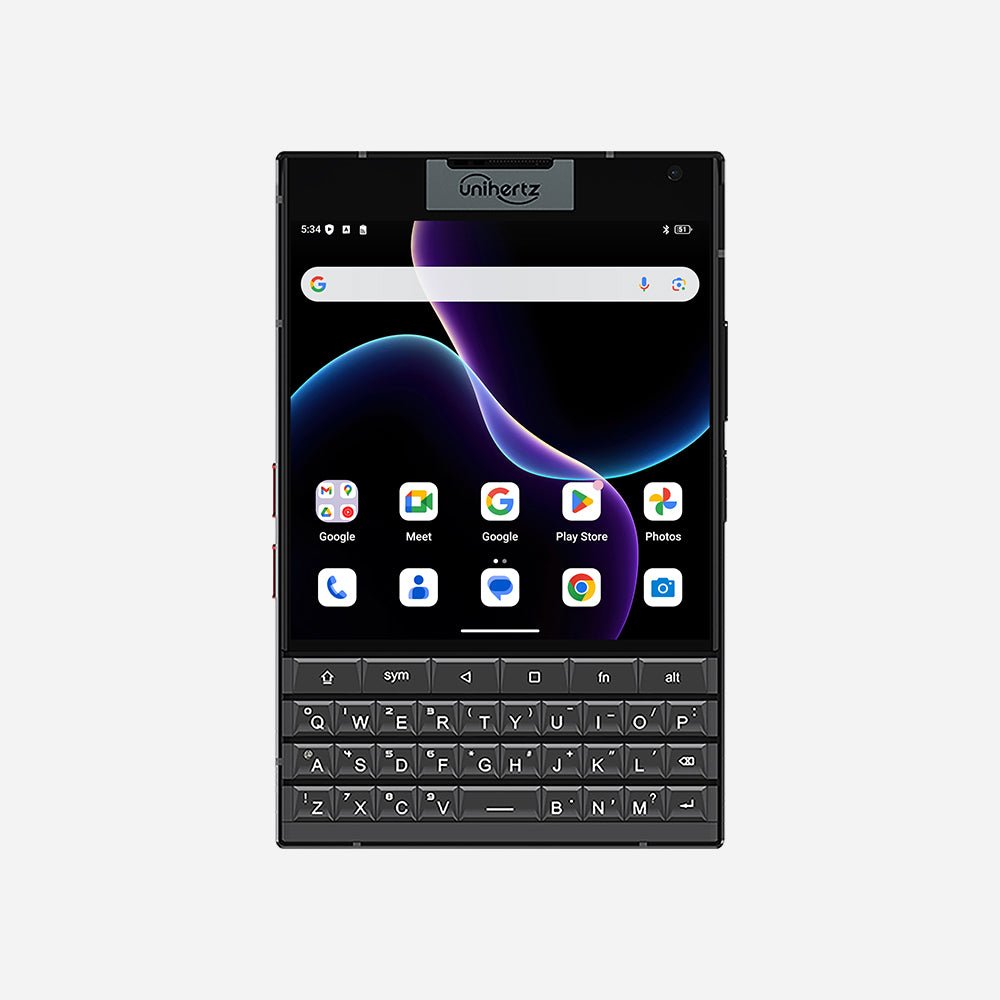
YouTube video: