Squarock Podcast Bundle
Check out the accompanying YouTube video - link at the bottom of this article.
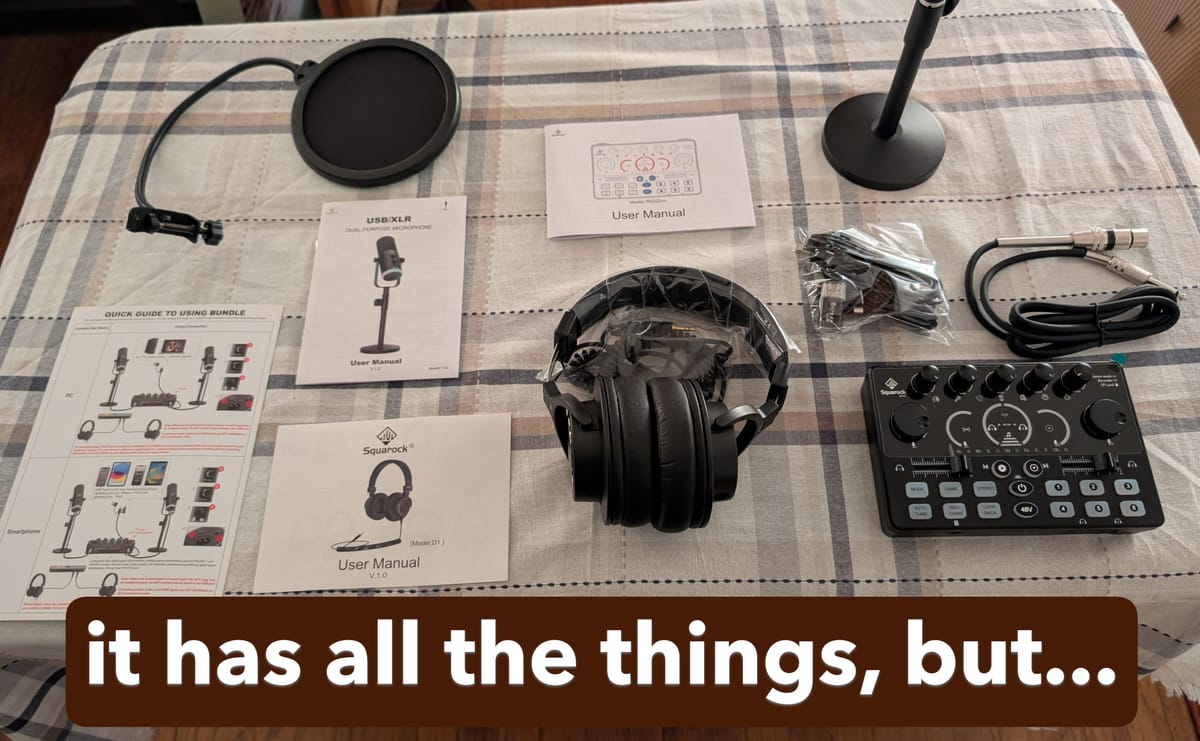
The $300 bundle includes a USB audio interface, a dynamic XLR/USB microphone and stand, a pop filter for the microphone, headphones, and the necessary cables to connect everything together. There is also quite a bit of documentation (yet also somehow not enough) in the box to help you get started and to provide more information on each piece. The interface guide has helpful tips on connecting the interface to Windows, Playstation5, XBOX, Mac, Android/iPhone, and using it with apps like Zoom, Audacity, OBS, and Riverside.
When you first turn on the system and plug in the headphones, you hear a bit of background buzz. This is independent of the microphone as the buzz is present even when the microphone is disconnected. My guess is the internals inside the interface aren't as well shielded as perhaps they should be. Nevertheless, once you get going with producing audio, you probably won't notice the buzz as much but if you are sensitive to hiss or buzzing, keep this in mind. It can get annoying after a while but fortunately, the hiss does not come across in the recordings.
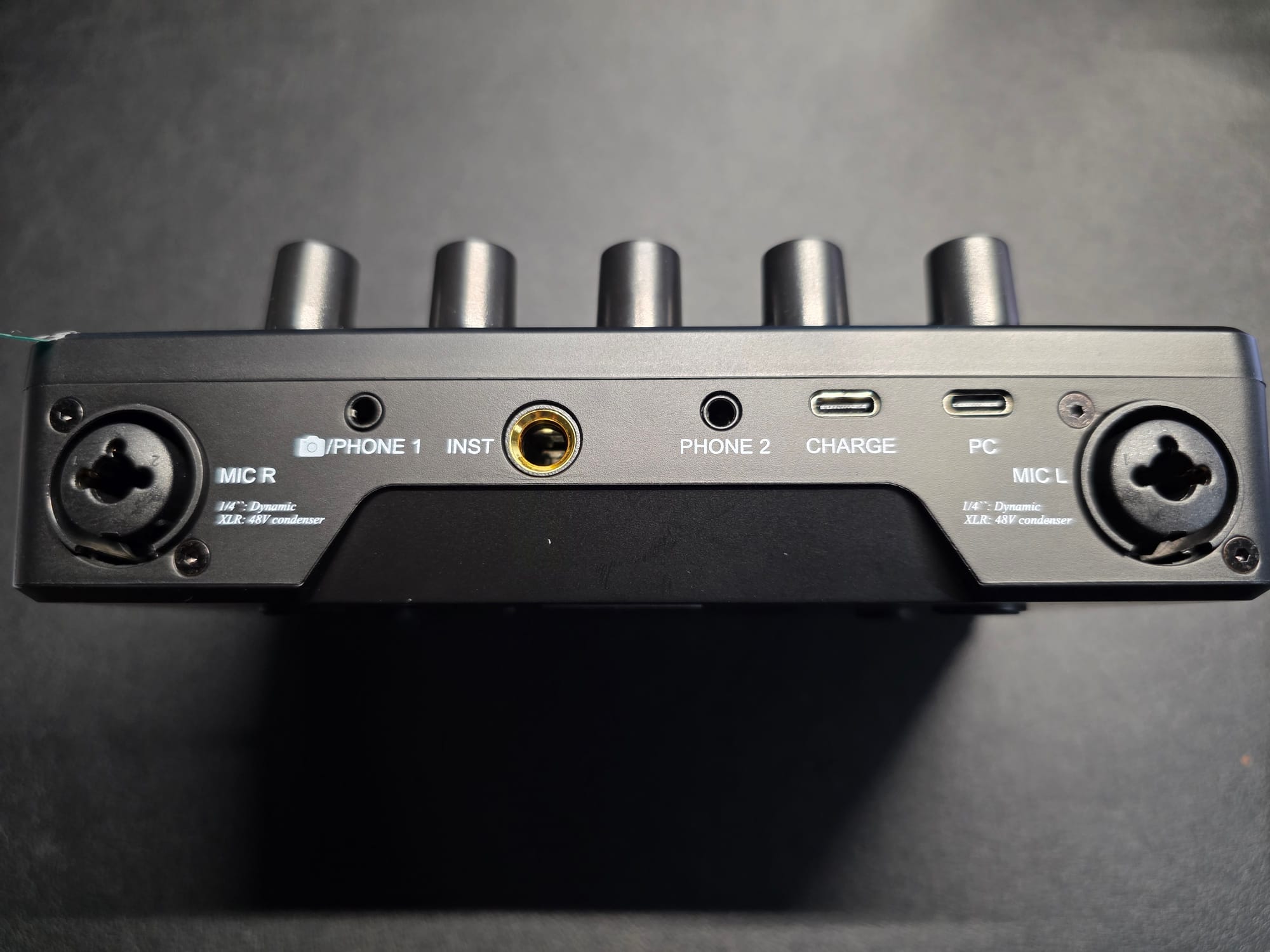
The RS2i2 interface has a USB-C port for connecting to the host device such as a laptop, phone, or tablet. There is a second USB-C port for connecting to power in case the host device is not able to power the interface. There are two 3.5mm ports on the back for connecting cameras or mobile devices and a line-in port for connecting a musical instrument. There are also two combo XLR/line ports for connecting microphones.
On the front of the device are two additional 3.5mm ports for connecting headphones for monitoring purposes and the microSD card slot, which supports cards up to 128GB. Files are stored as MP3 and the card reader uses exFAT formatted cards.
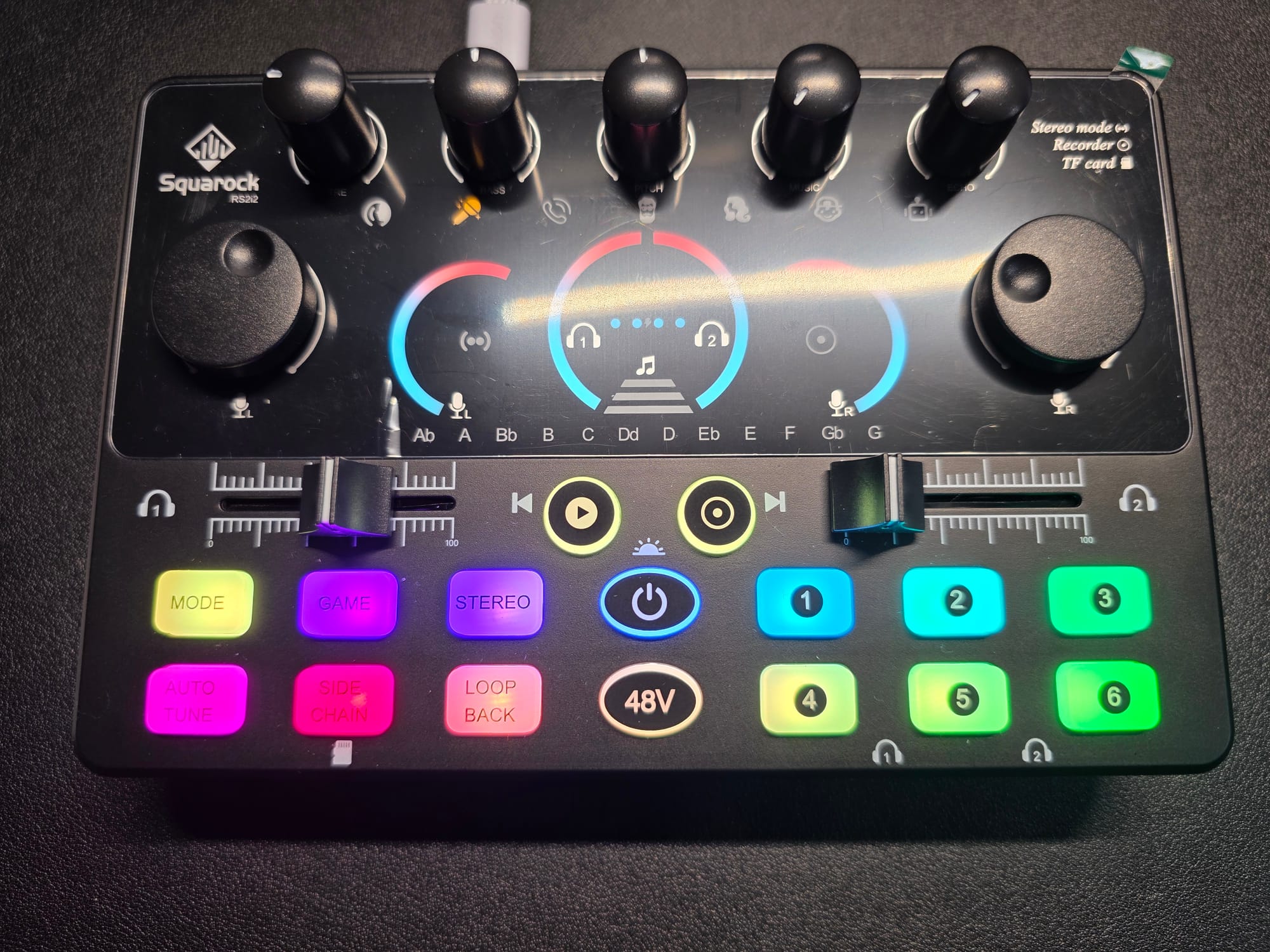
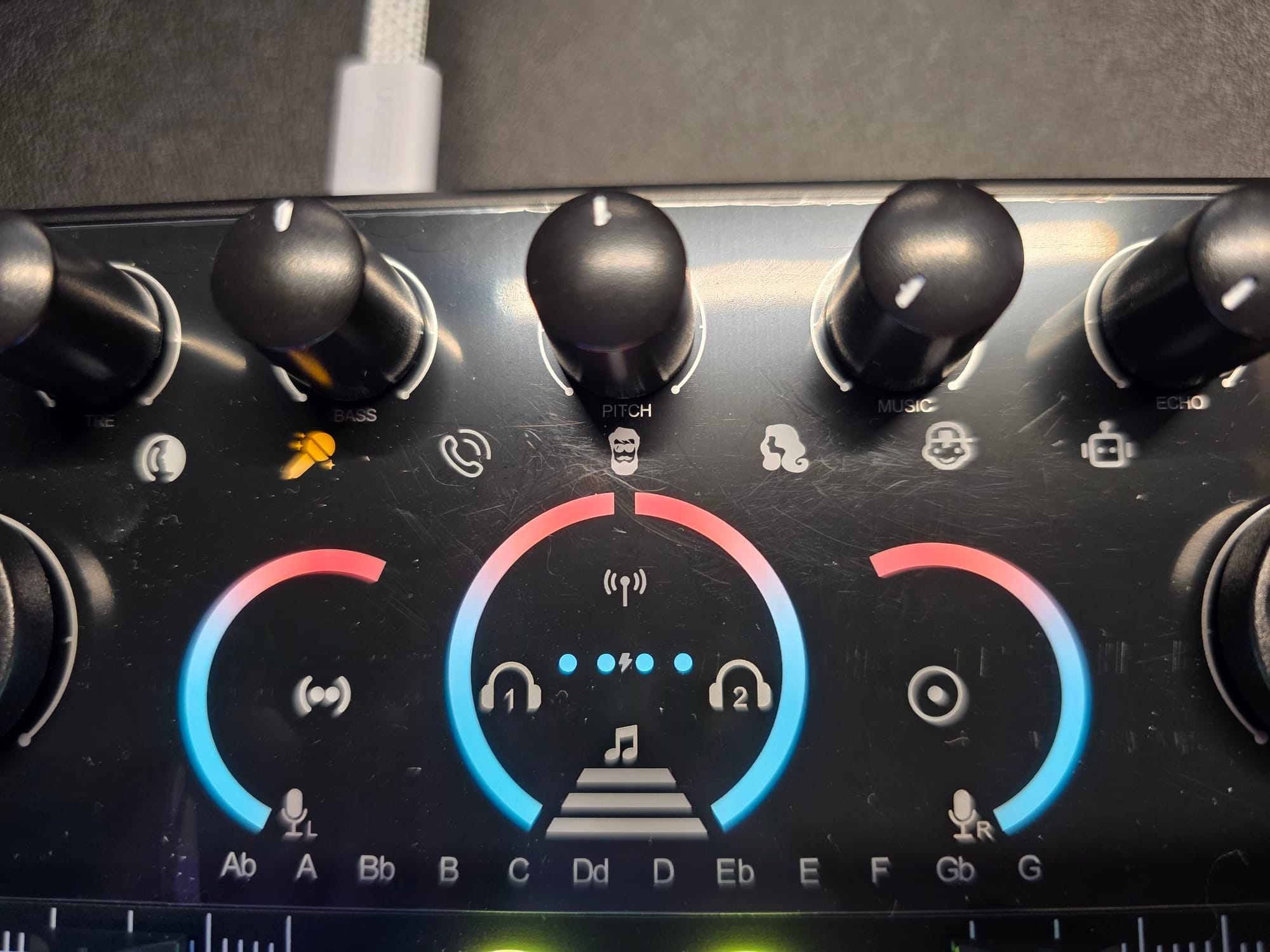
Fundamentally, this system is a cheap alternative to a Rodecaster Duo, which I happen to have. It doesn't sport a screen like the Rodecaster, but you get some indicator lights for the microphone and headphone levels. There are a number of vocal effects one can apply to the audio that are centered on voice. You can alter vocal output to skew higher or lower pitched (female vs. male), you can apply echo, and you can further alter the sound to be more robotic or childlike. You cycle through the voice options with the mode button. As you cycle through, the knobs control the level of the effect. Most of the effects are very playful and may not be what you would want to use in a professional setting. The female and baby voices are especially cartoonish and in some cases are even hard to understand.
In use as a Rodecaster stand-in, you can use the interface to record audio in an app on your PC or mobile device, or you can record directly to the RS2i2 via the microSD card slot. You can start and stop recordings right on the interface with big easy-to-press buttons. However, if you do opt to use the interface to record, keep in mind that you don't have a screen and there is no real way to manage the files on the device. Most likely, you will take the card out of it and manage files on your PC or other device. I tried recording a file directly on the RS2i2 and it worked fine, but I would not want to get a lot of files stored up on the card since you can't manage them on the interface. I would probably record a file and then immediately off-load it, so I always have a clean slate each time.
Much like the Rodecaster, in addition to the voice effects, you have sound pads for use in your recordings. You need to double-press the pads to get them to work. There are six pads and in order they produce a man's voice saying, "very well", a man laughing, a dog barking, gun shots, a digital drum line, and the sound of an original iPhone's marimba ring tone. I'd argue these are less useful than the defaults on the Rodecaster Duo (music bed, trombone, applause, airhorn, crickets, record scratch, chimes, and rim shot), but this is very subjective. You can record your own sounds to replace any of the built-in options.
As a simple USB audio interface with the included microphone, you are able to get clean audio that you can use in a variety of ways. If your primary interest is using the microphone to record voice either direct to microSD card or using an app on your PC or mobile device, this system works fine. You're able to control and see levels and for podcasting purposes, you can bring in external audio via Bluetooth or one of the line-in ports and you can duck that audio with the side chain feature for Bluetooth audio. You have some built-in sounds and sound effects that you can use, or you can record your own sounds to the pads. Basic needs are more than met here assuming you don't need more than two microphones and two sets of headphones. It is not as elegant as a Rodecaster and nor is it quite as easy to use since there's no screen, but it is significantly cheaper. I'm not a big fan of the effects or sounds programmed into the pads, but as a simple interface, it's fine. My biggest gripes are the hiss from the headphone port and the fact that you have to double-press the pads rather than just a single press. The pads definitely aren't the most luxurious pads I've ever felt and tapping them twice can happen accidentally or not at all. The overall interface isn't extremely intuitive, but with some time you can figure out all the modes and what the dials do with some trial and error.
The question I'm left with is whether this bundle is worth $200-300. The microphone is a solid performer, and the headphones have decent sound with reasonable adjustability and comfort. The interface looks and feels cheap, but it is in fact, cheap. For someone who is looking for an entry-level all-in-one package, this might be worth it, but I think most people will be better served buying a standard USB audio interface like my trusty old Steinberg UR22 mkII or the ever beloved Focusrite Scarlett. You can pair it with a microphone you like and headphones you probably already have. But if you do need headphones, the Sony MDR-7506 and Sennheiser HD280 Pro are inexpensive and good and if you need a good cheap microphone, the Samson Q2U, the Shure SM58, or the Audio-Technica AT2020 are good value buys. You could pick up a Scarlett, the MDR-7506, and one of the microphones for not much more than $300 and have solid high-quality gear that will last you a long time and might even qualify for trade-in at your local audio store.
YouTube video: