See link to the YouTube review at the end of this post!
Did you know Lenovo makes Bluetooth audio products? When I saw these $50 earbuds, I knew I had to try them. What might Lenovo have to offer to compete with the hordes of products on Amazon in this price range?
Hardware Overview
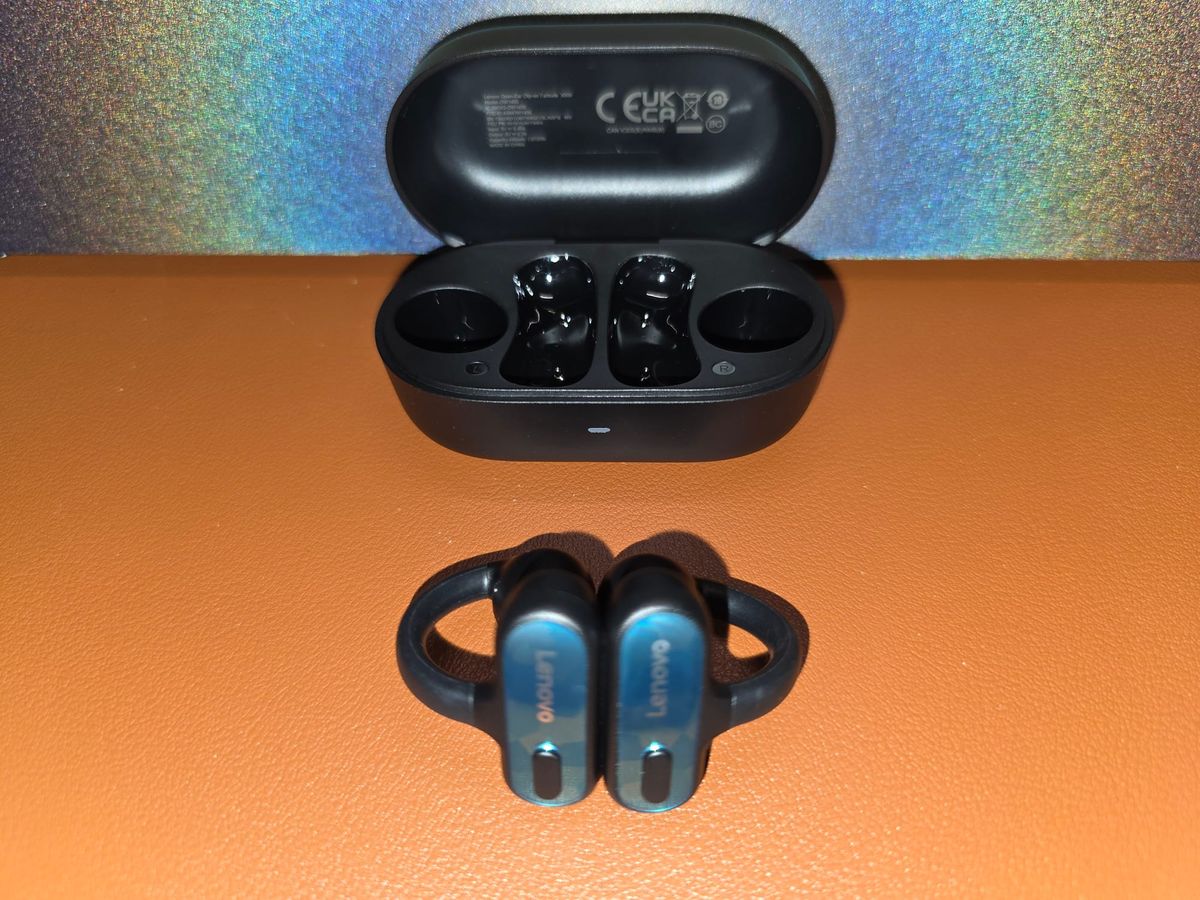
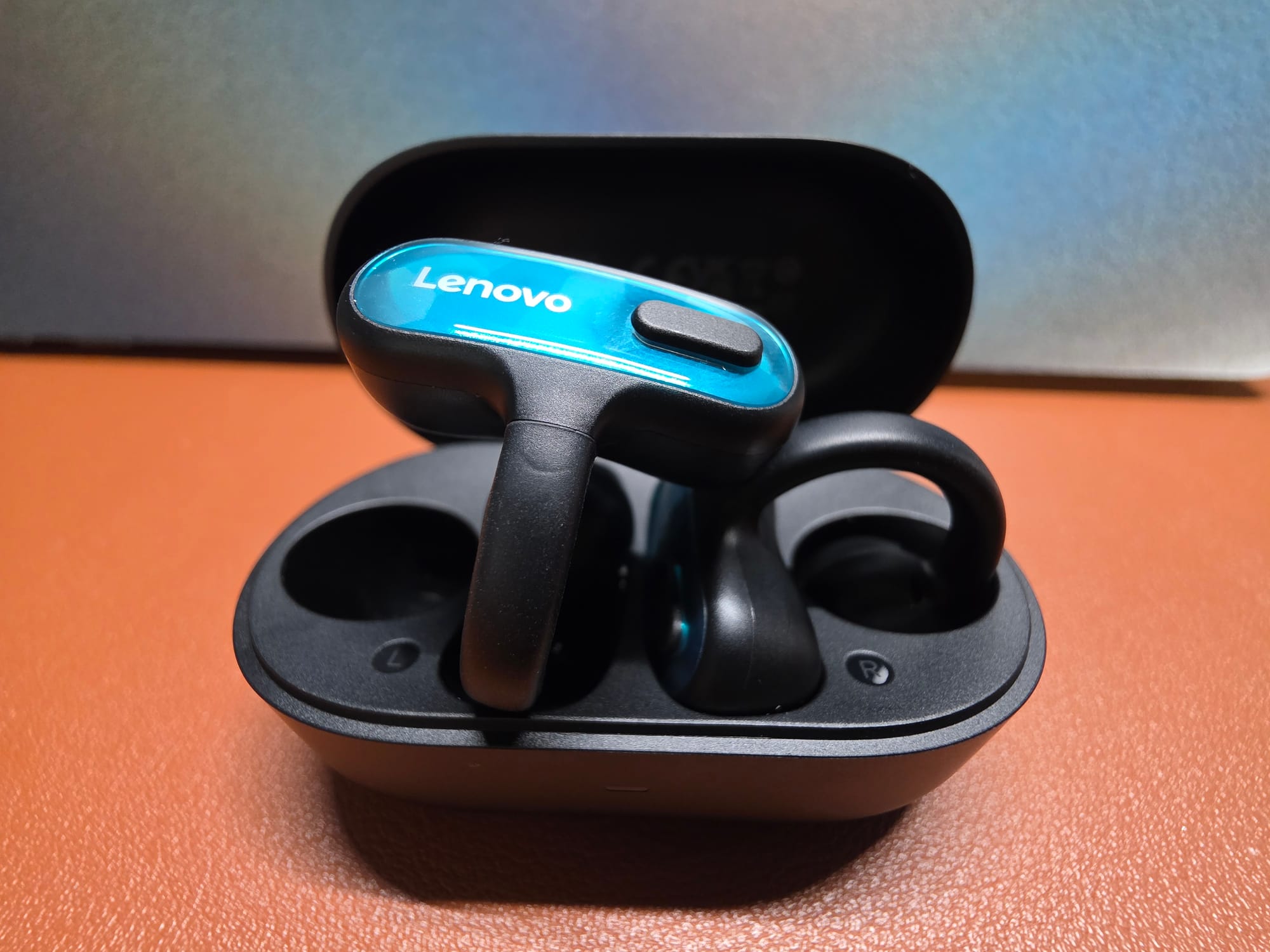
The X500 come in some unusual color combinations. The black pair I have sport aqua blue face plates and black buttons. The pink color has pink face plates and buttons, but the face plates have a bit of a mosaic look. The white earbud has yellow-green face plates with white buttons. The colors are mainly for whimsy when you take them out of the case as the face plates don't really show when you're wearing the earbuds, especially if you have long hair that covers your ears. The hardware button is large and easy to feel and while it isn't especially clicky, it does have enough movement so that you can easily tell when the button has been depressed. A short chirp from the earbuds also confirms that a press was registered. The box doesn't provide a ton of information about the buds, but the product page on Amazon indicates that they are powered by 11mm dynamic drivers that produce sound from 20Hz to 20kHz and uses Bluetooth 6.0 for its communications with other devices. The earbuds support multipoint and fast pairing, and the earbuds can remember up to 8 devices. The buttons allow you to control all the essential features: one press for answer call (R) or play/pause (L), double press for hang up (R) or mute microphone (L), or fast forward and rewind (L), press-and-hold for volume increases (R) and volume decreases (L), and a triple tap for voice assistant.
Bluetooth Connectivity
There are no advanced codecs for these earbuds; they use the AAC codec. Bluetooth performance is below average; I was not able to enjoy my audio with these when heading to my basement and they just about lost connection when I made the short trek to my mailbox, which is a few feet from my front porch. If you have a large house or want to wear these at work while straying away from your phone, there are better choices.
Battery Life
The earbuds are rated for up to 6 hours of music playback on a full charge. They have a fast-charging feature that supplies 2 hours of use with a 10-minute charge. A full charge takes about two hours. Neither the box nor the product page indicates how much total listening time you can get with the case, but I used the buds for several days of 2 or 3 hours of use before I needed to charge the case. I rate them as average to somewhat below average as the large size of the buds would lead you to believe they could last longer on a charge. The battery in the case is listed as 440mAh, and each bud has a 50mAh battery. The case should offer about 3 full charges.
Microphone Performance
Lenovo states that these earbuds have AI noise cancellation on the microphones, and to be honest, for an inexpensive pair of earbuds, they do a pretty good job of blocking out noise and are even able to take on some wind without too much trouble. If it weren't for the fact that these don't have any kind of IP rating, they might be well suited to use outdoors for those times when you need to take a call on a stroll in a light breeze. The voice quality is passable but not stellar; voices sound compressed and a bit digital, but your voice will be understandable and acceptable for short phone calls on the go or for longer informal conversations in quiet places.
Sound
I would describe the sound of the X500 as "fine". They aren't especially sparkly on top, and the bass isn't deep and textured, but these are $50 open ear clip-on earbuds, so one must temper one's expectations. Usually with earbuds like these you get the best benefit from the midrange and the midrange here is more prominent than the bass for sure, but there is bass to be heard. It's actually fairly balanced for an earbud of this style. Nothing feels overly recessed or pushed forward. They are perfect for what is often referred to as background listening. The overall sound is somewhat lifeless at times, but this is probably more of an issue of the form factor than the tuning. Comparing them to the SoundPeats Clip1, the mids are fairly comparable, but the X500 has much more bass. This leaves the Clip1 sounding very thin compared to the X500, but the highs are more present with a tiny bit more detail. The better comparison is against the SoundPeats Pop Clip2 (which sound a lot like the Earfun Clip1, a pair of clip-on earbuds I liked a lot but now no longer use because the case fell apart). The Pop Clip2 also have more bass than the Clip1, but not quite as much as the X500. They X500 also gets a little bit louder than the Pop Clip2. For my money, I'd go with the X500 for the best out-of-the-box sound but if you want the benefits of an app, you'll need to go with SoundPeats as the X500 do not have an app and therefore cannot be customized. For podcasts, audiobooks, and most YouTube videos, all clip-on earbuds sound good and I'd argue that type of audio is the best fit for this type of product.
Conclusion
For $50, this is a decent pair of clip-on earbuds if you are OK with the compromises - no app, no IP rating, subpar Bluetooth range, and average battery life. That sounds like a hard sell when you line it up like that, but they do offer a nearly brainless experience since there is no app and excess features to overwhelm. They aren't a bad purchase as they offer decent sound at a reasonable price, but there are definitely other products on the market in this price range that offer more on paper and in reality.
To buy on Amazon:

YouTube review:
Member discussion: